
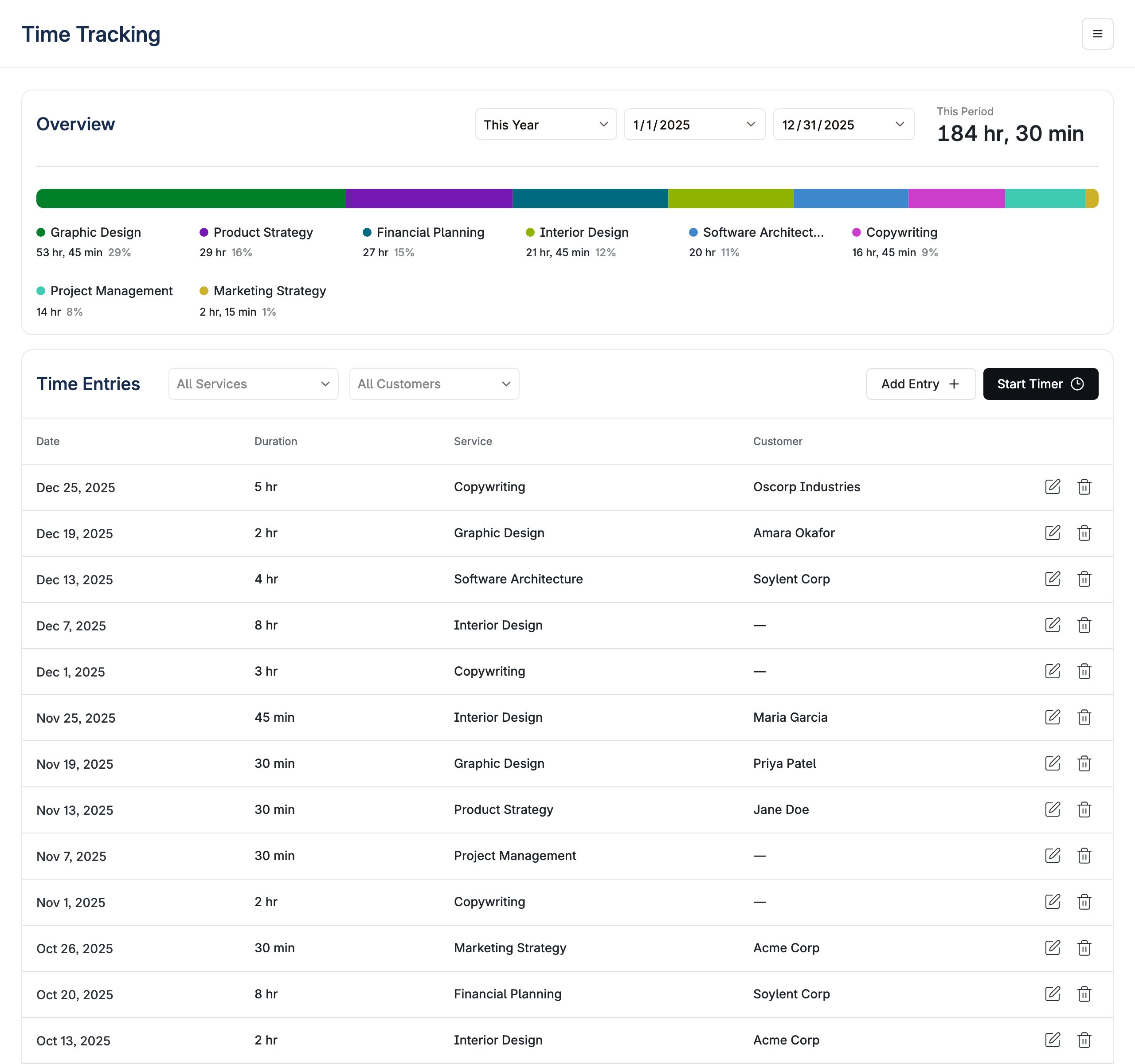
Features
- Live Timer: Start a timer, let it run across page loads, then complete it into a time entry
- Manual Entries: Record time after the fact with a date, duration, service, and optional customer
- Service Catalog: Define the services time is tracked against, each with an optional hourly rate
- Period Summary: Total time for the selected period, broken down by service
- Filtering: Narrow the entry list by service and customer, on top of the selected date range
- Invoice Awareness: Entries already billed to an invoice are locked against edits and deletion
Properties
boolean
default:"true"
Whether to display the page title header. The header also carries the actions menu, so hiding it hides the entry point to the service catalog.
() => void
Called when the user selects Reports from the header menu. The menu item only appears when this callback is provided — omit it if your application has nowhere to send the user.
TimeTrackingStringOverrides
Overrides for default strings in the component.
Usage Examples
Basic usage:Timer Lifecycle
Start Timer asks for a service and, optionally, a customer and memo, then the timer becomes a banner at the top of the view counting up. Both the service and the customer stay editable while it runs. The timer belongs to the business, not to the browser tab: closing the tab or reloading doesn’t lose it, and it comes back showing the right elapsed time. Only one runs at a time — resolve it with Complete, which turns it into an entry, or Cancel, which discards it.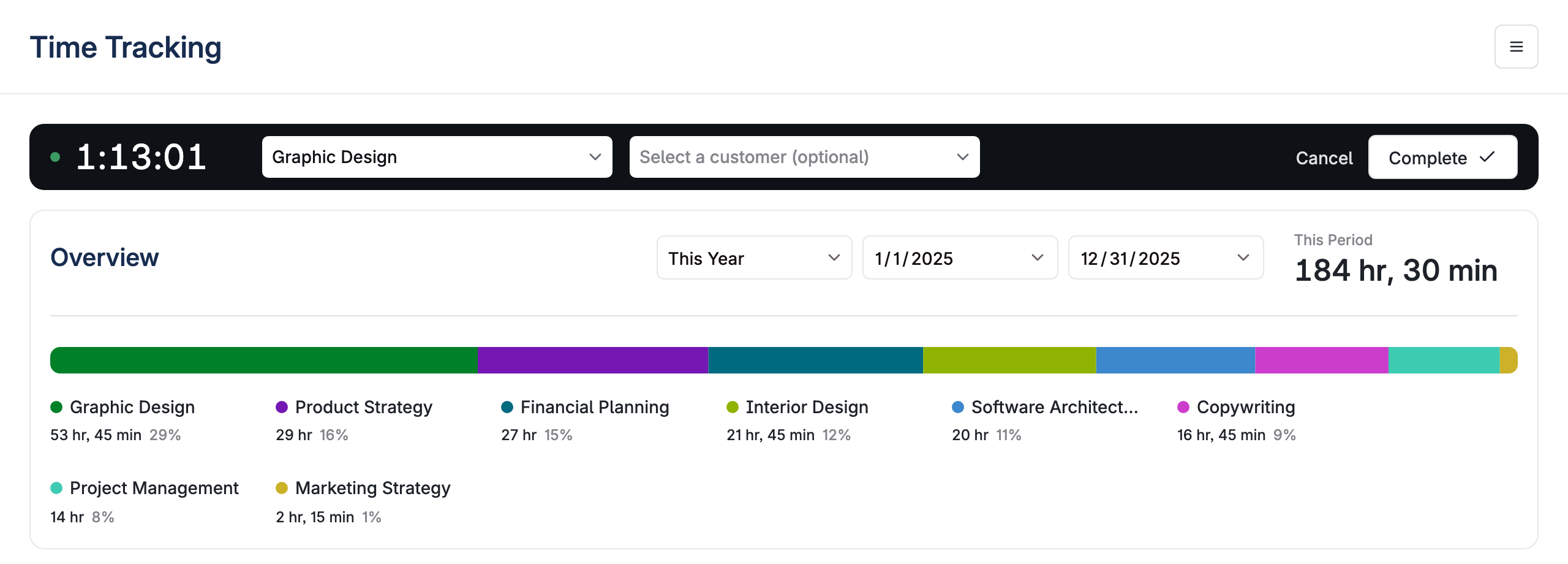
Time Entries
Entries can also be created directly through the Add Entry form rather than timed.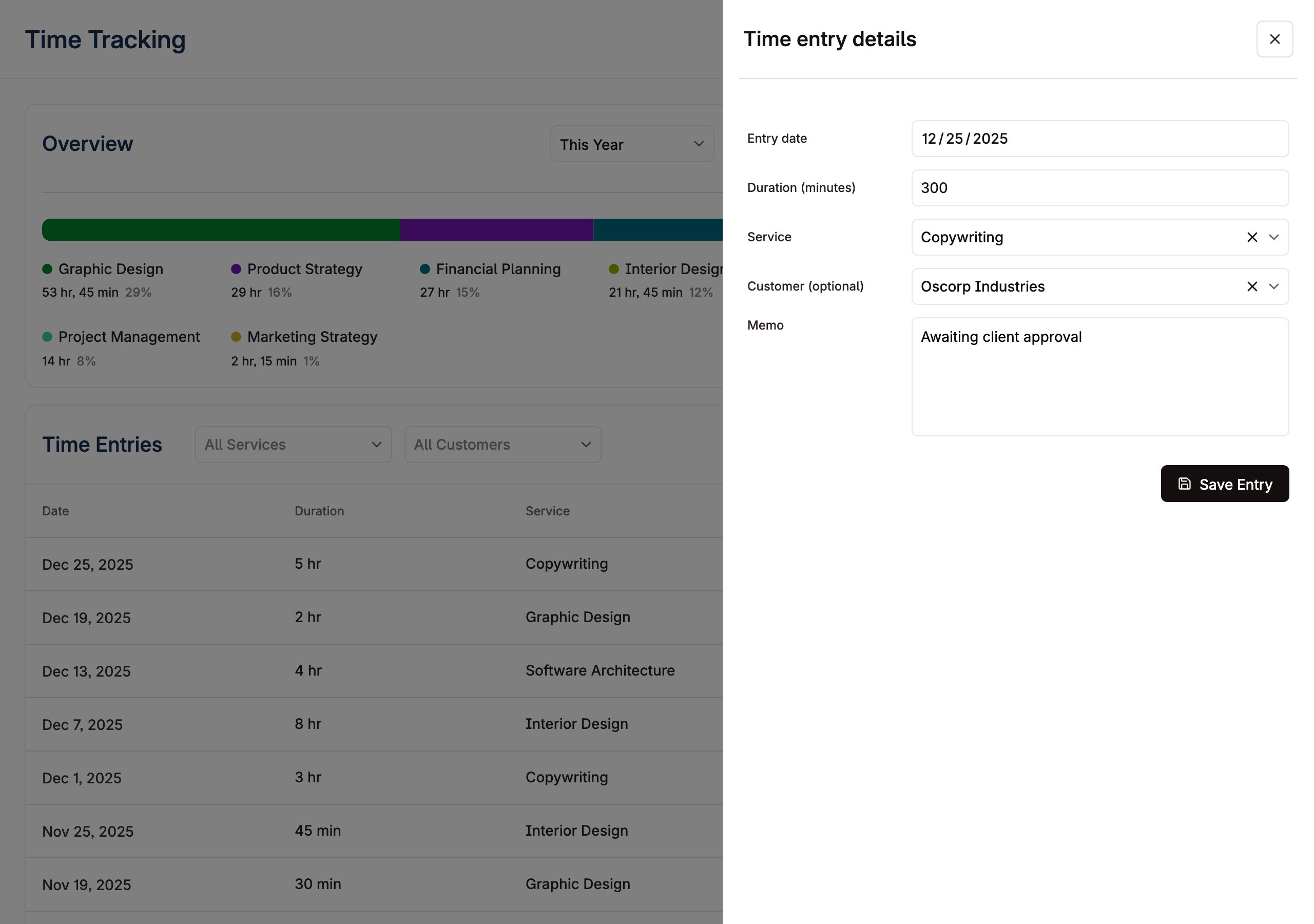
Invoiced entries
Once an entry has been billed to an invoice it is locked. The drawer marks it with an Invoiced badge, the form is read-only, and the delete action is withheld. Correcting billed time means going through the invoice, not the entry.Services
Time is tracked against services from the business’s catalog, managed from the Services item in the header menu. Each service has a name and an optional hourly rate, which is what turns tracked minutes into billable amounts in the summary.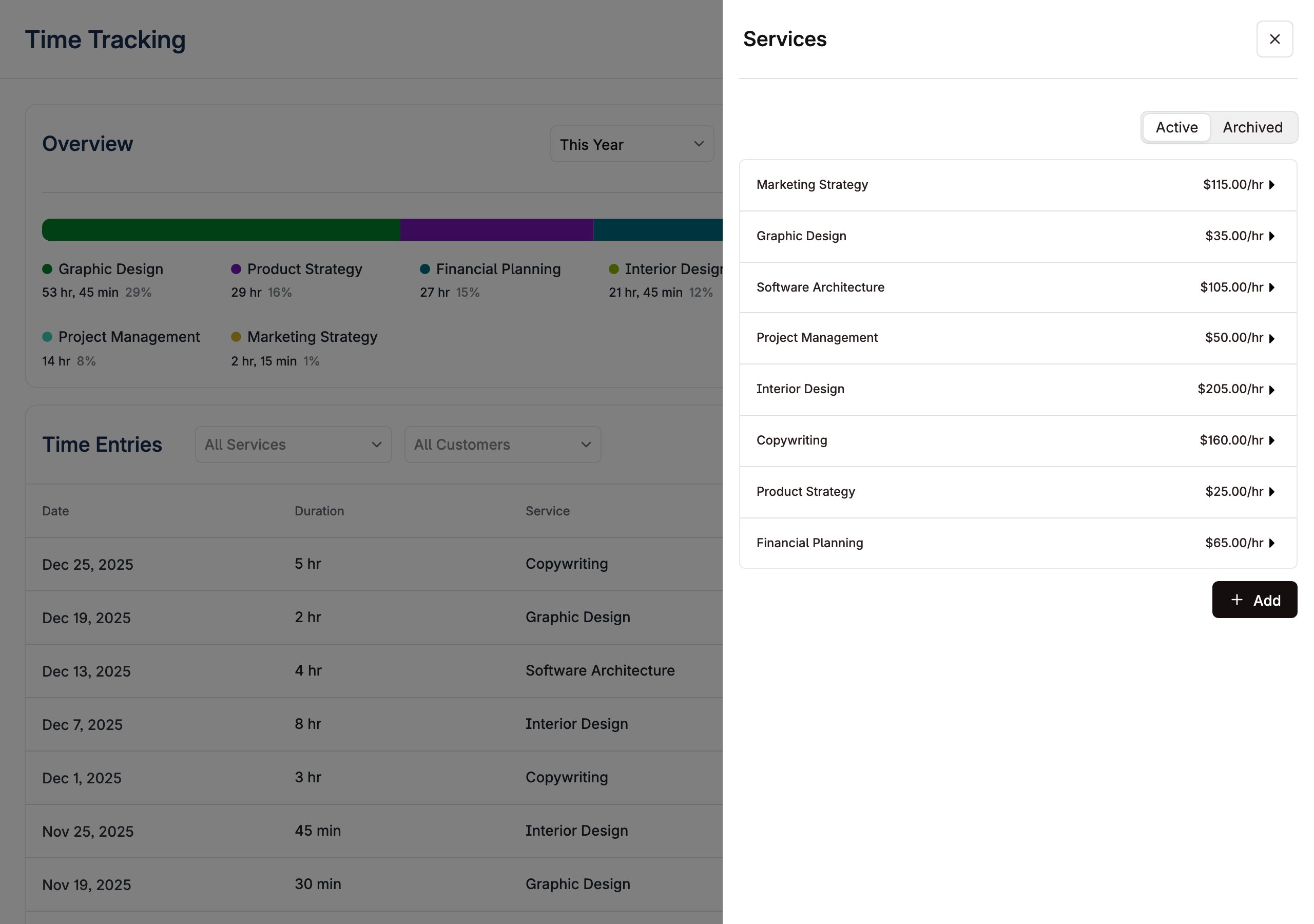
API
The view is built on Layer’s time tracking endpoints, which you can also call directly to sync time from an existing system:- List time entries
- Create a time entry and bulk create time entries
- Update a time entry
- Time entry summary — the figures behind the Overview card
- Invoice preview — turn unbilled time into invoice line items