
Features
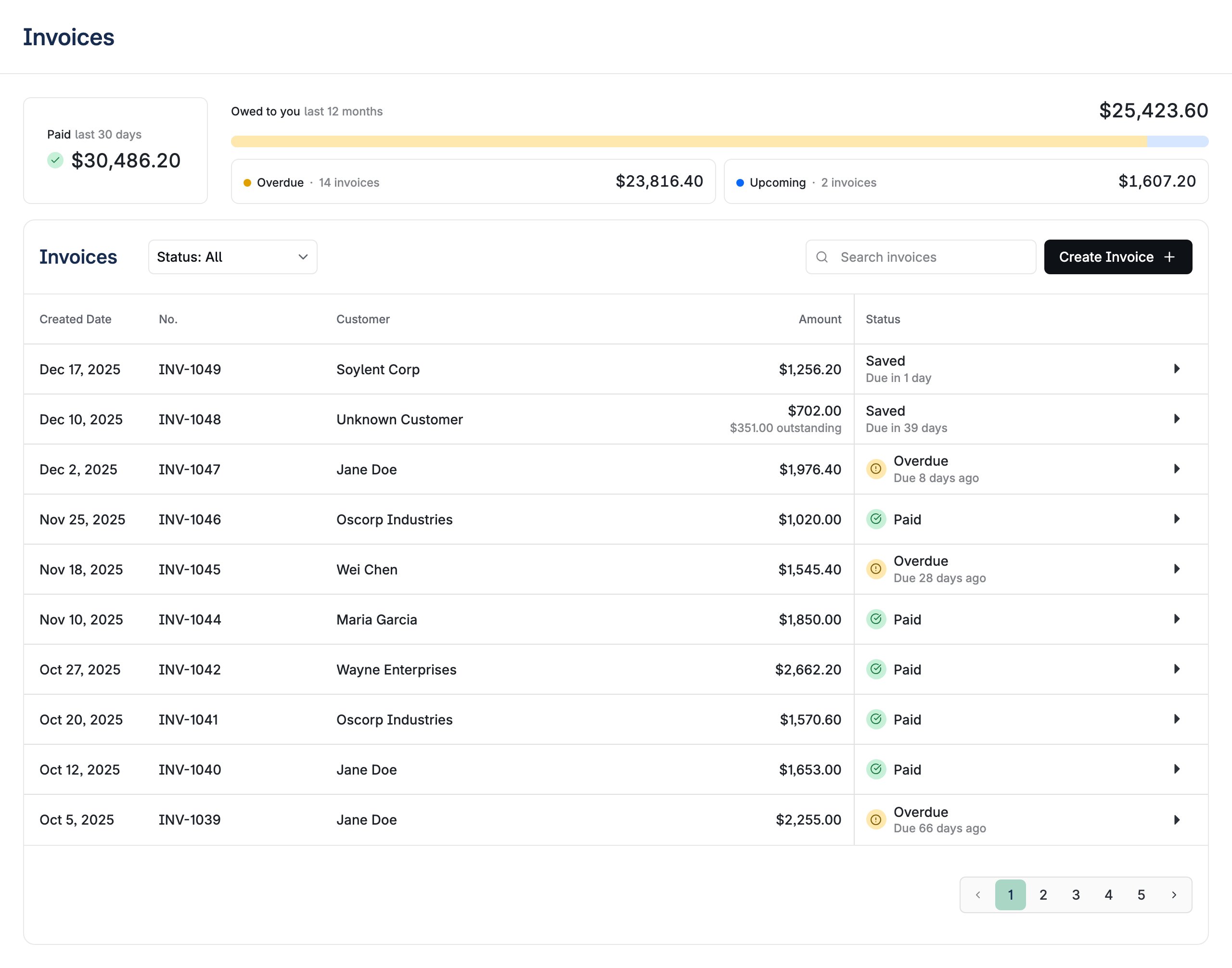
- Invoice Overview: Summary statistics for paid amounts, outstanding balances, and overdue invoices
- Invoice Table: Paginated table with search, status filtering, and sortable columns
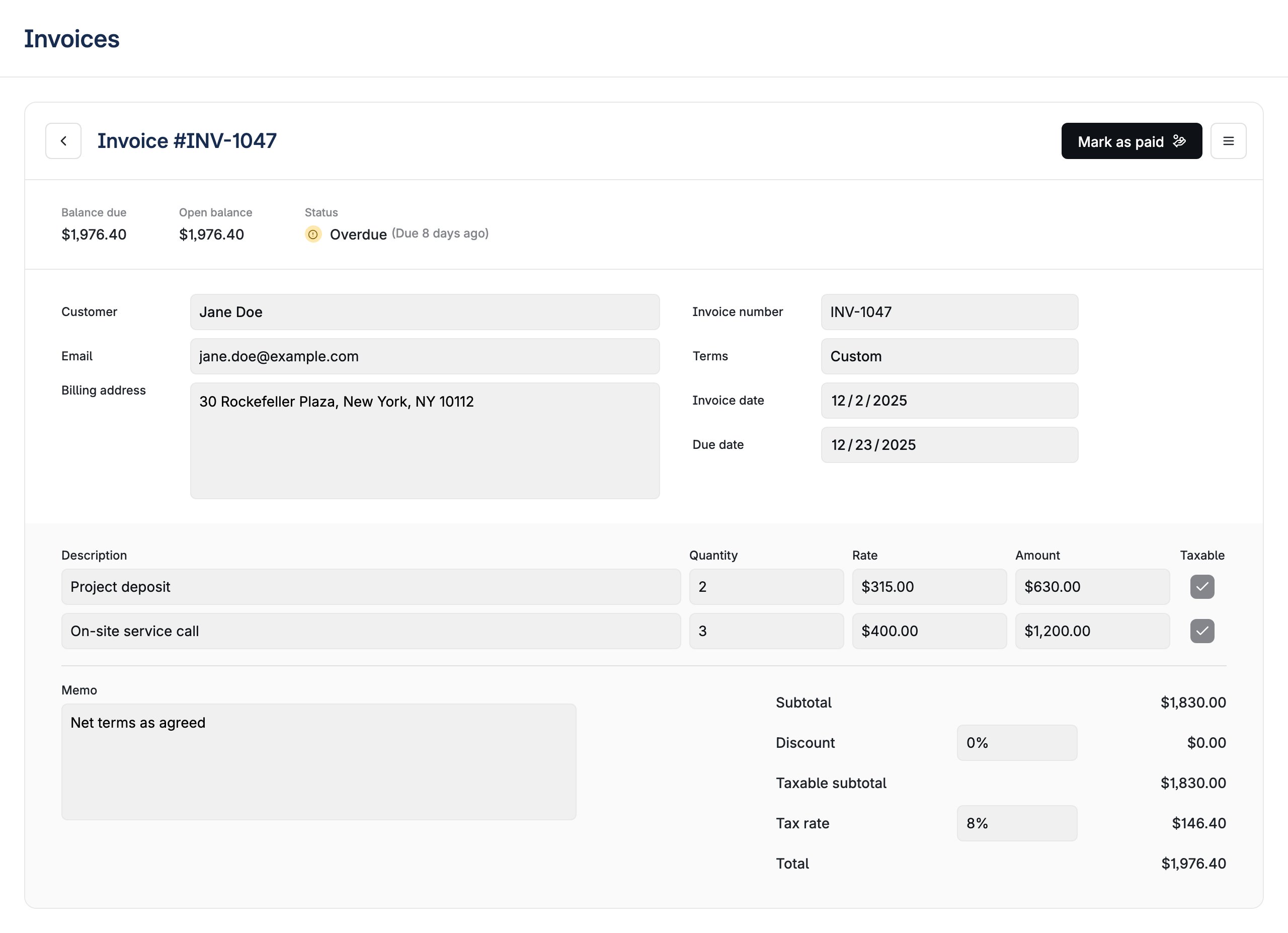
- Invoice Detail View: Invoice creation and editing form with line items, customer selection, and payment terms
- Payment Management: Record payments, refunds, and view payment history
- Status Management: Void, write-off, reset, and send invoices
- Form Validation: Inline validation with error messages
- Customer Integration: Customer selection and creation within the invoice form
- Tax Calculations: Configurable tax rates applied per line item
- Payment Terms: Predefined terms (Net 10, 15, 30, 60, 90) or custom due dates
- Line Item Management: Add, edit, and remove line items with quantity and unit pricing
- Status Tracking: Status indicators for Draft, Sent, Paid, Overdue, Void, and Written-off states
- Search and Filtering: Filter invoices by customer, amount, or status
Usage Examples
Basic usage:Properties
boolean
default:"true"
Whether to display the page title header. When set to false, the component renders without the top-level title.
InvoicesStringOverrides
Overrides for default strings in the component.
function
Callback function triggered when an invoice is sent. Receives the invoice ID as a parameter and can return a Promise for async operations like email integration.Function signature:
(invoiceId: string) => Promise<void> | voidInvoice Overview
The default view displays:- Summary Statistics: Paid amounts (last 30 days), outstanding invoices, and overdue amounts
- Invoice Table: Columns for invoice number, customer, amount, status, and due date
- Search and Filtering: Search by customer name or invoice details, filter by status
- Create Invoice Button: Opens the invoice creation form
Invoice Detail View
Form for creating and editing invoices:- Customer Selection: Customer picker with search and inline creation
- Invoice Metadata: Invoice number, sent date, due date, and payment terms
- Line Items: Table for adding/editing line items with description, quantity, unit price, and tax
- Tax Calculations: Subtotals, taxes, discounts, and totals calculated automatically
- Payment Terms: Predefined options (Net 10, 15, 30, 60, 90) or custom date
- Status Actions: Send, Void, Write-off, Refund, and Reset actions based on current status
Payment Management
- Payment Recording: Record payments with amount, date, and payment method
- Payment History: List of payments and refunds for the invoice
- Outstanding Balance: Calculated remaining balance
- Refund Processing: Process partial or full refunds
Status States
- Draft: Invoice being created or edited
- Sent: Invoice sent to customer, awaiting payment
- Paid: Invoice fully paid
- Overdue: Sent invoice past due date
- Void: Cancelled invoice
- Written-off: Invoice marked as uncollectible